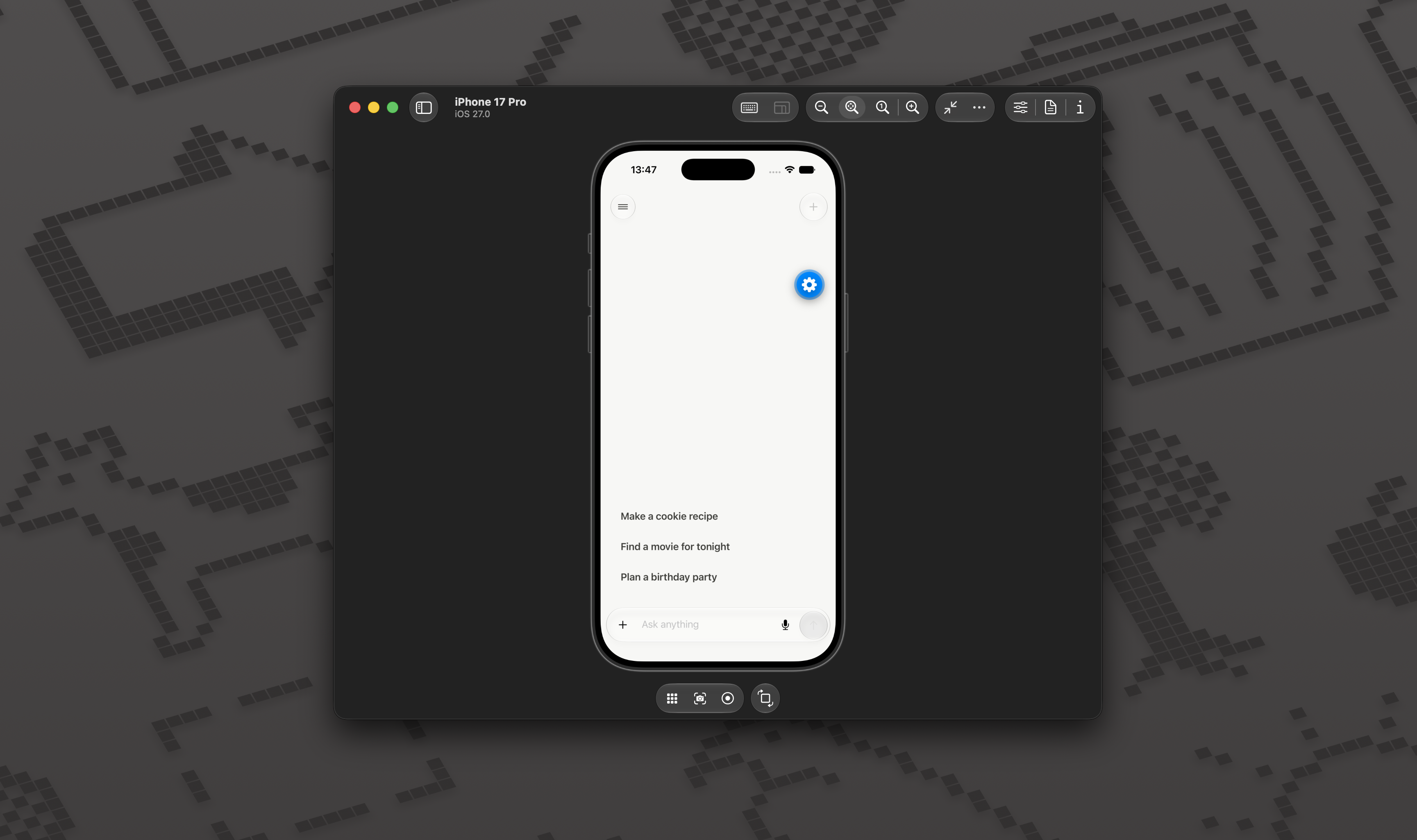
The direction came from Vercel's write-up on the v0 iOS app and the visual responses shown by Monogram. I wanted the same native, focused feeling without building a large product framework around it.
Special thanks to Fernando Rojo and the Vercel mobile team for publishing How we built the v0 iOS app. Their breakdown of composable chat, keyboard handling, scrolling, native menus, and a floating Liquid Glass composer made the difficult parts of building a polished React Native chat much easier to understand.
The app has four main surfaces: authentication, a conversation view, a push-style chat sidebar, and settings. The composer keeps files, text, voice, and send controls inside one liquid-glass bar. Platform-specific .ios.tsx files contain the Expo UI details, while shared React Native components provide the fallback.
The stack
Expo 57, React Native, and Expo Router
Clerk for authentication
Vercel AI SDK and AI Gateway for chat and transcription
JSON Render for model-generated native UI
Legend List for conversation scrolling
AsyncStorage for local chat history
Expo Audio, Image Picker, and Document Picker for input
How it is structured
src/app/                    Routes and API endpoints
src/features/auth/          Authentication and the development bypass
src/features/chat/          Chat UI, history, files, voice, and streaming
src/features/generative-ui/ Component catalog and JSON renderer
src/features/settings/      Settings controls
tests/                      Behavior and integration contracts
The route files stay small. Chat behavior lives in feature modules, server endpoints live beside the Expo Router routes, and native presentation is separated from shared state and networking.
Streaming and visual answers
Messages stream through the AI SDK and Vercel AI Gateway. Assistant text is rendered as streaming Markdown, while structured data parts can describe a native interface.
JSON Render connects those data parts to a reusable catalog of cards, lists, responsive tables, charts, timelines, media rows, and callouts. The model chooses whether a visual response is useful and which components fit the answer. Prompts are not mapped to fixed layouts.
The assistant can search the web through Exa when a response needs current recommendations, trusted images, or useful links. Generated recommendation cards are interactive: tapping one sends a hidden selection turn and opens a model-generated detail view without making the user type another prompt.
Generated interfaces use a short skeleton handoff, a root fade, and capped item staggering so streamed layouts do not suddenly pop into place
Keeping it useful as a template
Chats are stored locally and the server surface is limited to chat and transcription. There is no database layer or product-specific backend to remove before starting a new project.
Chat identity and recency are kept separate. Stable IDs keep the current conversation selected in the sidebar, opening an older chat does not move it, and only sending a new message brings that conversation to the top.
The template still covers the difficult parts of a mobile AI chat app: authentication, streaming, keyboard behavior, scroll anchoring, files, voice transcription, native controls, chat history, and generative UI. It is small enough to understand, but complete enough to build on.
Run it
Github repo: https://github.com/Montekkundan/chat-app
bun install
cp .env.example .env.local
bun start
Add the Clerk keys and AI_GATEWAY_API_KEY to .env.local, then open the project in an iOS simulator or Expo Go.